Configure Share Link Validity
When a user shares a file, the recipient receives a download link that works for a limited time. Share Link Validity sets how many days those links remain usable. The setting applies to every share link created in your account.
How to Configure Share Link Validity
01. Access Share Link Validity
- Sign in to your ManageArtworks account.
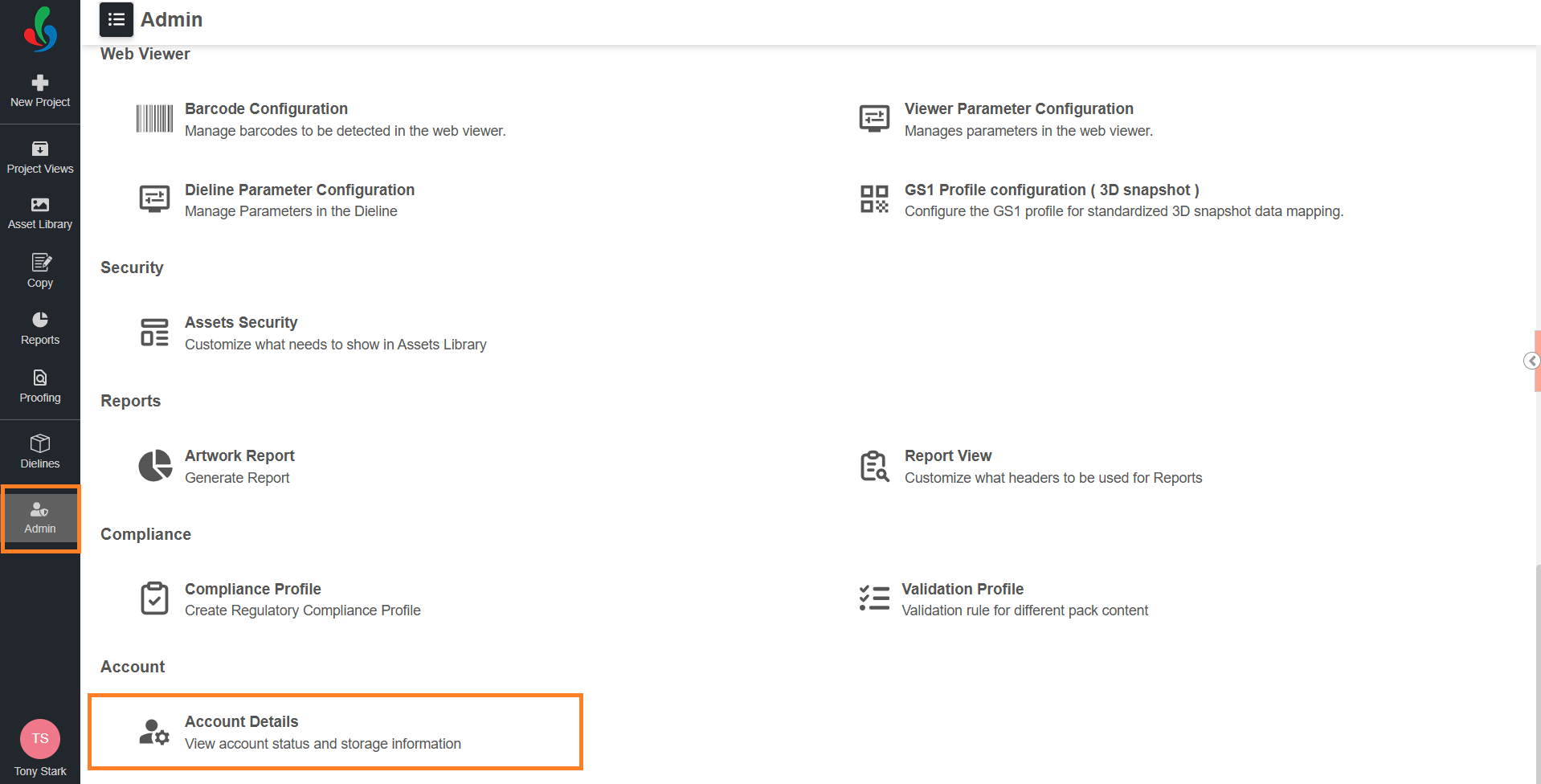
- Navigate to the Admin module.
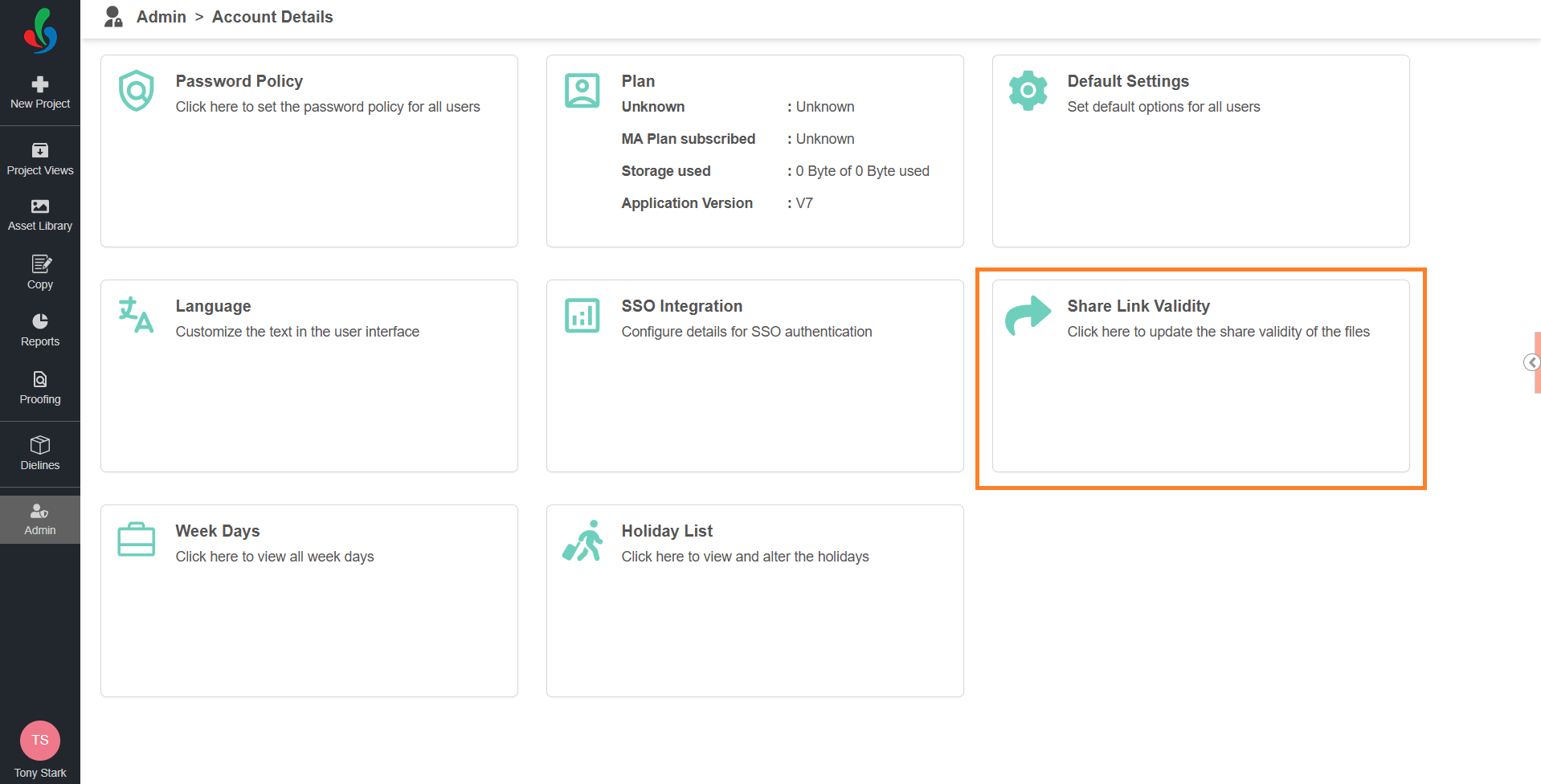
- Select Account Details.
- Select the Share Link Validity card.
02. Set the Number of Days
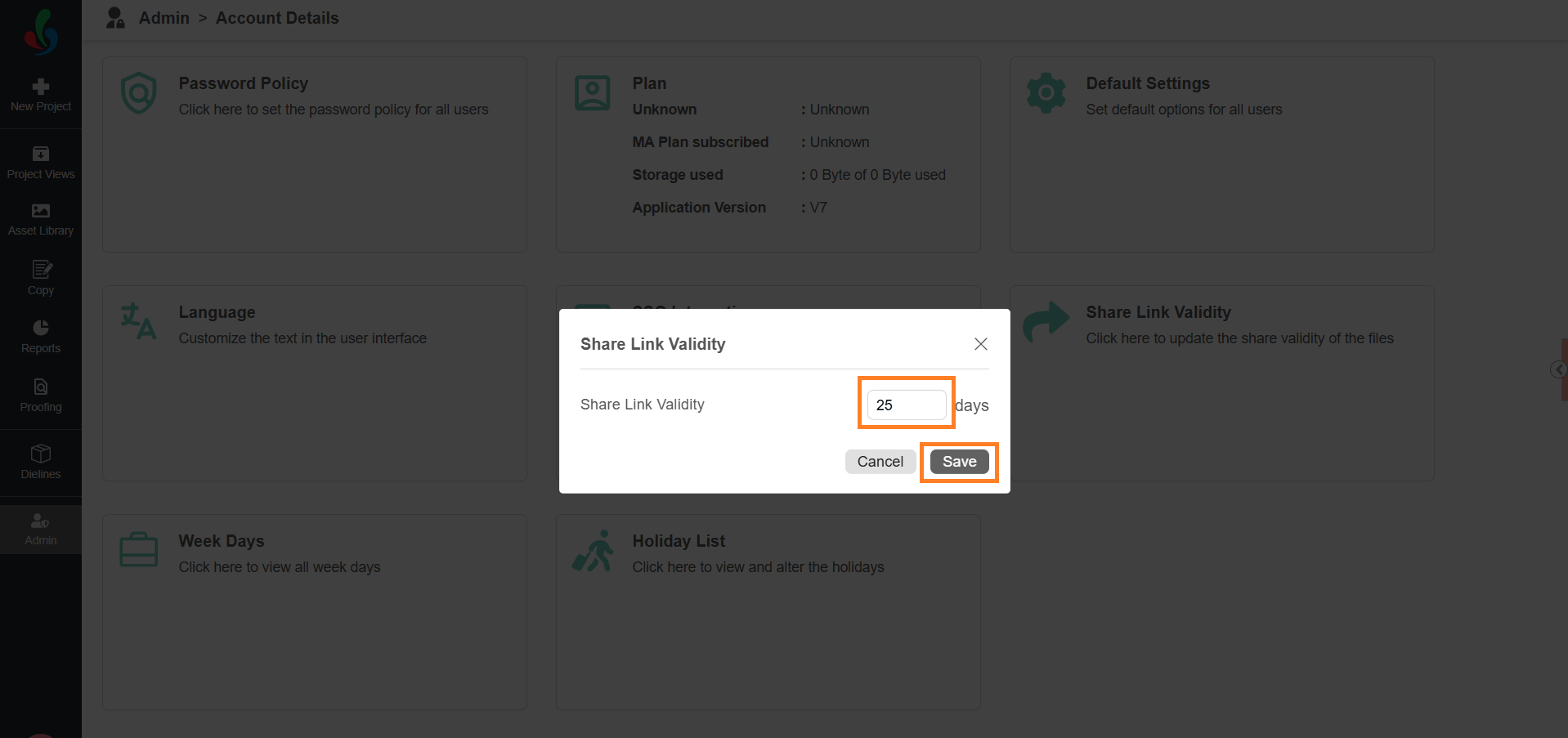
- In the Share Link Validity field, enter the number of days a share link remains valid.
Note: Enter a value from 1 to 25 days. Zero is not allowed. - Select Save.
The new validity applies to share links created after you save the change. Links already sent keep the validity they were created with.