Sign in using MFA
What is Multifactor Authentication?
Multifactor authentication (MFA) is an additional security layer that helps protect your account during sign-in. Instead of using only your username and password, MFA requires a second verification method—such as a one-time password (OTP) sent to your registered email address—to confirm your identity. This extra step helps prevent unauthorized access, even if your password is compromised.
How do I sign in to ManageArtworks account with MFA enabled?
- Go to the ManageArtworks sign-in page.
- Enter your email address and select Continue.
- Enter you password and select the ›› Sign In button.
Note: If you see the message "You are logged in elsewhere. Log out from there and log in here," select here to learn more. - The system sends a one-time verification code (OTP) to your registered email address.
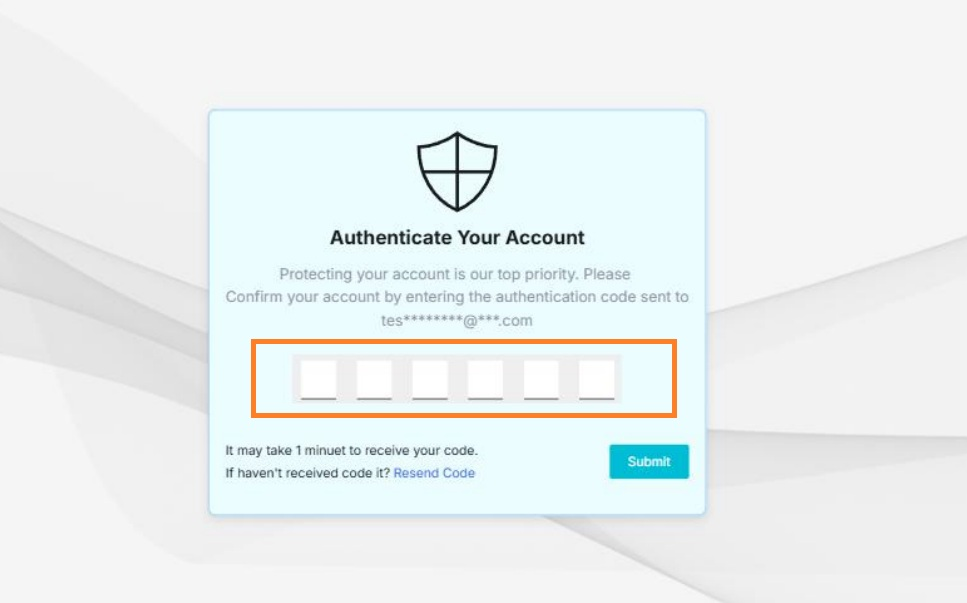
Note: You should receive the OTP within one minute. If you don’t receive it, select Resend Code. - On the MFA verification screen, enter the verification code you received.
- Select Submit to complete the sign-in process.
- After successful verification, you will be signed in to the ManageArtworks application.


Key Benefits
- Strengthens account protection.
- Reduces the risk of unauthorized access.
- Supports enterprise security and compliance requirements.