Compliance Workflow
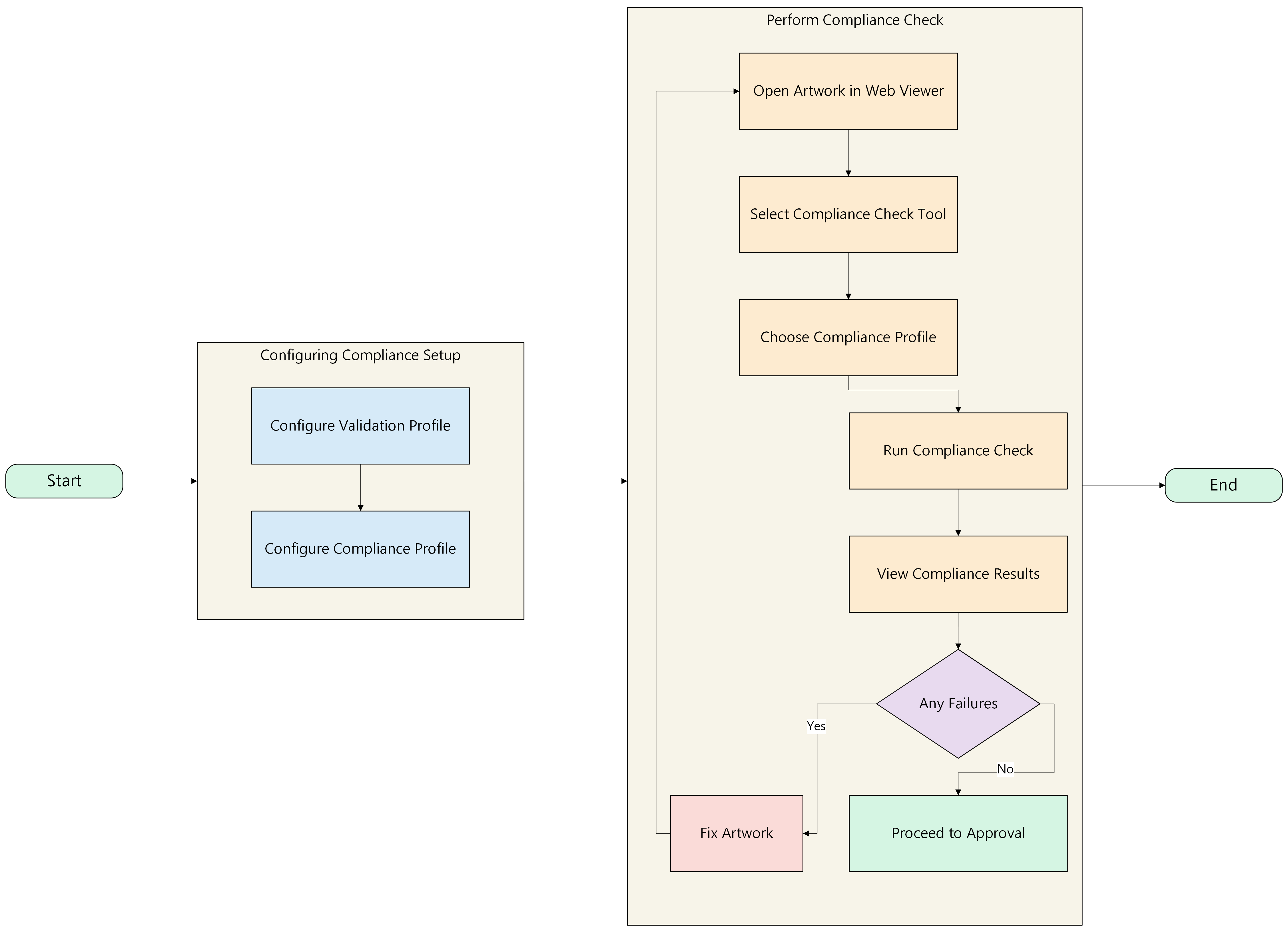
The Compliance Workflow defines the overall process of configuring and executing compliance checks within ManageArtworks.
The workflow consists of two major stages:
- Configuring Compliance Setup: Define and prepare validation rules and compliance profiles
- Perform Compliance Check in Web Viewer: Execute compliance validation on artwork
01. Configuring Compliance Setup
This stage allows you to define and prepare the required validation checks before executing a compliance check. ManageArtworks provides out-of-the-box pre-configured compliance profiles, enabling users to directly perform compliance checks without any initial setup.
If the pre-configured profiles meet your requirements, you can proceed directly to Perform Compliance Check in Web Viewer. Alternatively, you can configure additional validation rules and group them into a custom compliance profile based on your specific needs.
Configuring compliance setup consists of the following:
- Configure Validation Profile: Defines individual validation rules such as font size, content format, and regulatory requirements.
- Configure Compliance Profile: Groups one or more validation profiles into a single profile that can be selected during compliance check execution.
02. Perform Compliance Check in Web Viewer
Once the required compliance setup is configured, you can perform compliance checks directly in the Web Viewer.
This stage explains how to:
- Execute a compliance check on artwork
- View and interpret compliance results
- Save and share compliance reports
To learn more, refer to Perform Compliance Check in Web Viewer.
Next, Configure Validation Profile